Your Xbox profile’s Gaming tab lists every game you’ve earned achievements in, including ones you tried once and never went back to. Since the May 2026 Xbox update, you can hide any game from that list, however many achievements you’ve unlocked in it. You can unhide it again whenever you like. Here’s how on Xbox Series X|S, Xbox One and the Xbox app on Windows PC.
How to hide a game from your achievements on Xbox
- Press the Xbox button to open the guide.
- Go to Profile & system and select your profile.
- Go to My profile > Gaming > Achievements to see your achievement history.
- Highlight the game you want to hide.
- Press the X button to hide it.
You can also hide games from the guide: go to Game activity > All achievements, highlight a game and press X when the Hide tip appears.
How to see and unhide hidden games
Hidden games don’t disappear for good. Use the filter to find them.
- Open your achievement list as above.
- Select Filter and choose Hidden.
- Highlight the game you want to show again.
- Press the X button to unhide it.
The Gaming tab filter lets you view Completed, Incomplete, Shown and Hidden games. Completed games are highlighted with a touch of your profile colour.
Playing a hidden game unhides it. If you launch a game you’ve hidden, it automatically reappears in your list, so you may need to hide it again.
How to hide a game in the Xbox app on Windows PC
- Open the Xbox app on your Windows PC or handheld.
- Select your gamerpic in the top right to go to Profile & settings, then select View profile.
- Scroll down to Achievements.
- Right-click the game (or long-press on a touch screen) and select Hide from profile.
To bring a hidden game back, repeat the steps and select Show in profile.
Sort and search your achievements
The October 2026 update added more ways to get around a long list:
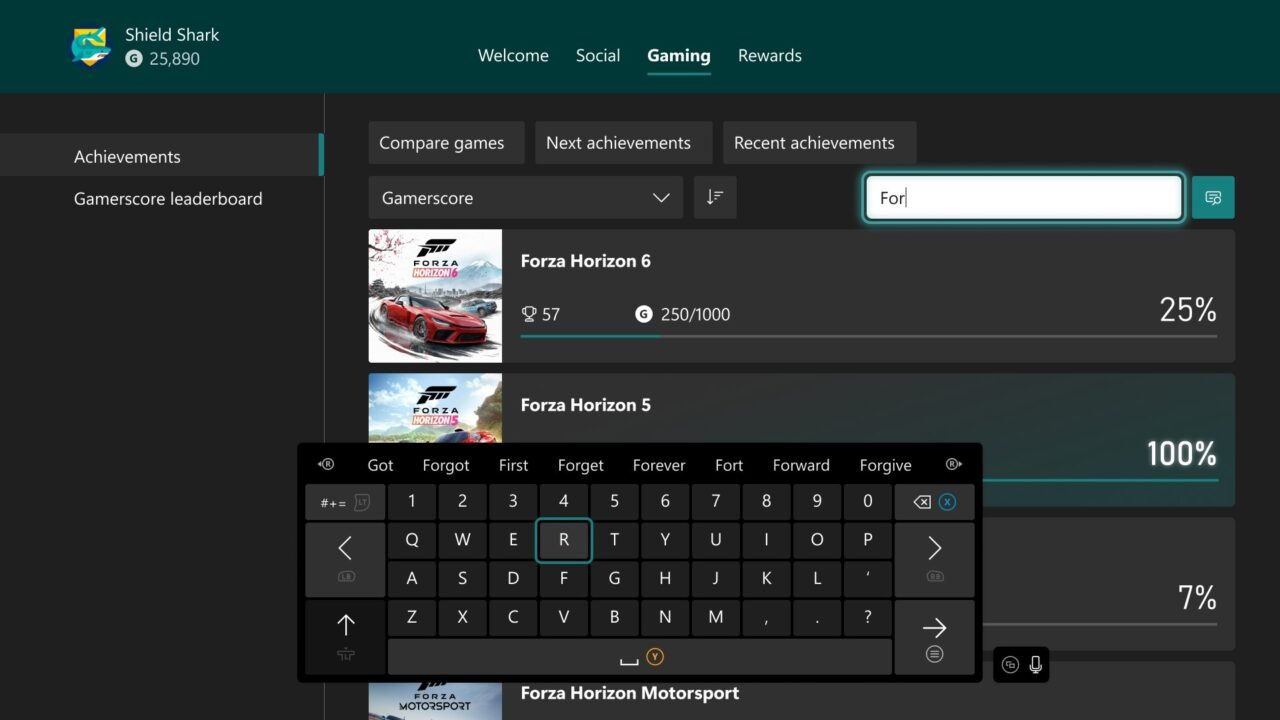
- Sort by name, completion percentage, Gamerscore earned or number of achievements unlocked, as well as the default last-played order. Each option works in ascending or descending order.
- Search to find specific games and achievements quickly. Local search is available in your profile’s Gaming tab, My games & apps and official club achievement lists, and works alongside the filters.
- Next and recent achievements: from the guide, go to Game activity > All achievements and select Next achievements to see the ones you’re closest to unlocking, or Recent achievements for the ones you unlocked most recently.
FAQ
Can I hide individual achievements?
Hiding works per game. Separately, secret achievements stay hidden until you choose to reveal them. Highlight one in Game activity > All achievements, press the View button and select Reveal details, then Hide details to hide it again.
Where can I see my progress towards Mythic Achievements?
Your total Mythic Achievement count appears in your profile’s Gaming tab, and each game’s achievement list shows your progress towards Mythic status. Our guide to Mythic Achievements explains how they work. For more on tracking achievements, see Tracking Xbox achievements in your game.