You’ve done what an achievement asks, but no notification pops up and your Gamerscore hasn’t changed. Achievements on Xbox have to be confirmed by the Xbox network, so a delay is normal, and an offline console can’t unlock them at all. Here’s what to check, in order, on Xbox Series X|S and Xbox One.
First, check the basics
- Have you met every requirement? Read the achievement description carefully. Some rewards need a combination of achievements or challenges.
- Are you online? Your console must be connected to the Xbox network to unlock achievements and complete challenges. It can’t be set to offline.
- Is it a challenge? Unlike achievements, challenges have a time limit of hours, weeks or months. If it runs out, you won’t get the reward.
Seeing “Done! Unlocking”? That means the achievement is waiting for the Xbox network to confirm it. Achievements are processed in the order they’re sent, so it can take some time. Allow up to 72 hours before assuming something’s wrong.
1. Check your network connection
If you unlocked something while offline, you won’t get the notice or reward until you reconnect.
- Press the Xbox button to open the guide.
- Go to Profile & system > Settings > General > Network settings.
- Check the console is connected. If needed, select Test network connection.
Once you’re connected, try unlocking the achievement again.
2. Check the Xbox status page
If there’s an alert on the Xbox status page, achievements may be delayed until the service is back. You can ask to be notified when it’s running again.
3. Check your achievements on the console
- Press the Xbox button to open the guide.
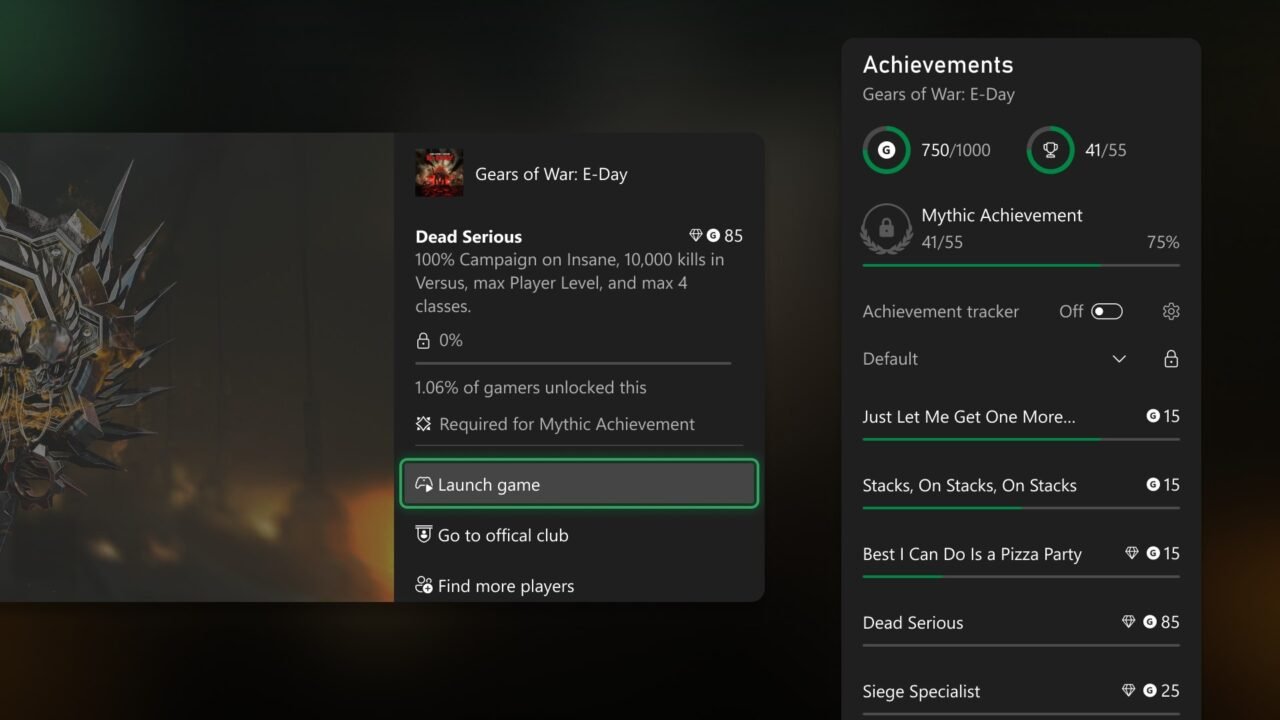
- Select Game activity > All achievements.
- Select the game and look at the unlocked achievements list.
If it’s shown on the console but not online yet, it hasn’t synced to the Xbox network. Allow up to 72 hours.
4. Check your achievements on Xbox.com
- Sign in at Xbox.com.
- Select your profile icon in the top right, then Xbox profile > Achievements.
- Select the game.
If the achievement is under Locked Achievements, either it didn’t unlock or the console hasn’t synced yet. If it still hasn’t appeared after 72 hours, try unlocking it again.
5. Restart your console
A restart re-sends any achievements waiting to sync to the Xbox network.
- Press and hold the Xbox button on your controller to open the Power Centre.
- Select Restart console, then Restart.
Then allow up to 72 hours for the sync to take place.
Track your progress next time
The achievement tracker shows your progress on screen while you play:
- Press the Xbox button to open the guide.
- Select Game activity > Achievements and turn on the Achievement tracker toggle.
- Select the settings icon to choose where the tracker appears, how many achievements it shows (up to five) and how transparent it is.
FAQ
Where can I learn more about achievements?
Our guide to Mythic Achievements explains how they work. To tidy up your list afterwards, see how to hide games from your Xbox achievements.