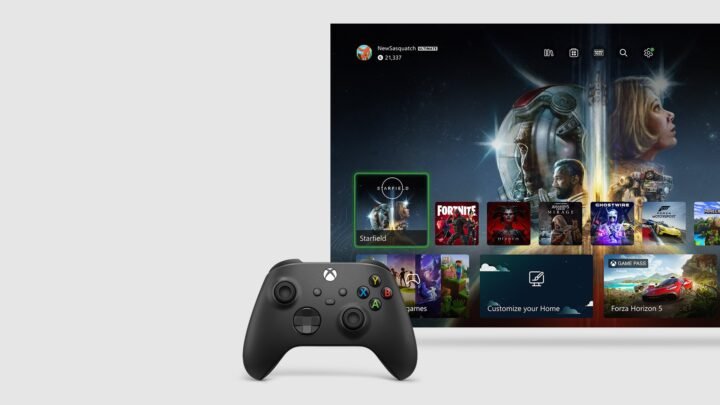
With Microsoft leaning harder into Windows Xbox Mode, PC handhelds, and its newly announced Your Discs. Now Also Digital programme, Xbox Play Anywhere has quietly become one of Xbox’s strongest everyday features. Here is how it works, what actually syncs between your devices, and the catches to watch out for.
Buy Once, Play on Console and Windows PC
When you buy a digital game bearing the Xbox Play Anywhere badge on the Xbox Store or Microsoft Store, you automatically own both the Xbox Series X|S / Xbox One version and the Windows PC version at no extra cost. That entitlement also includes compatible DLC, season passes, and add ons tied to your Microsoft account, meaning you never have to buy an expansion twice just because you switched from your living room TV to a laptop.
Automatic Cloud Saves and Xbox Achievements
Every Play Anywhere title syncs your save files, Gamerscore, and Xbox Achievements automatically through Xbox Cloud Saves. You can play two hours on your Xbox Series X in the lounge, shut the console down, and pick up the exact same save on a Windows PC or handheld five minutes later. Just make sure you give your console or PC a few seconds online before closing so the latest save uploads cleanly.
How It Works With Xbox Game Pass and Handhelds
Many first party and indie titles on Xbox Game Pass also support Play Anywhere, letting Ultimate and PC Game Pass members bounce between console, native Windows installs, and Xbox Cloud Gaming seamlessly. That flexibility is becoming even more valuable as Microsoft rolls out controller friendly Windows Xbox Mode interfaces ahead of Project Helix.
One Important Catch to Watch Out For
Make sure you install and launch the PC version from the official Xbox PC app rather than Steam. Steam purchases do not link into Xbox Play Anywhere entitlements, even for games that support cross progression via third party publisher accounts.
Our Take
Play Anywhere is the quiet superpower of Microsoft’s ecosystem, especially as Xbox bridges the gap between console and PC. Checking for that Play Anywhere badge before buying digital games saves you from ever paying twice for the same library.